AI Agents in the Enterprise: From Automation to Autonomous Decision-Making
I'll be honest — when I first saw someone demo an AI agent that could actually do things instead of just talk about them, it changed how I think about enterprise software. We've spent decades building automation that follows rigid scripts. Now we're watching systems that can reason, adapt, and make judgment calls on the fly. That's a fundamentally different thing, and if you're running a technology team, it's worth understanding why.
Let me walk you through what we've learned working with enterprises on this — the real opportunities, the real pitfalls, and a practical path forward.
So What Exactly Is an AI Agent?
There's a lot of hype around this term, so let's cut through it. An AI agent is a system built on top of a large language model that can actually take actions — not just generate text. The difference between a chatbot and an agent is the difference between someone giving you advice and someone rolling up their sleeves and doing the work.
Here's what makes an agent different from a regular LLM integration:
- It can plan — break a vague goal into concrete steps
- It can use tools — query databases, call APIs, search the web, write files
- It can observe and adapt — look at the result of what it just did, realize something didn't work, and try a different approach
- It can persist — maintain context across a long, multi-step task instead of forgetting everything after each response
The core idea is a loop: perceive the situation, reason about what to do, act on it, then reflect on the outcome. Researchers call this the ReAct pattern. In practice, it means your AI can actually navigate messy, real-world workflows the way a human would — trying things, learning from results, and adjusting.
Why This Matters Right Now
Your Workflows Are Too Complex for Scripts
I talk to a lot of enterprise teams, and here's what I keep hearing: "We tried RPA, and it works great for the simple stuff, but most of our processes aren't simple." And they're right. Real business workflows involve reading unstructured emails, making judgment calls based on context, coordinating across three different systems, and handling exceptions that nobody anticipated.
Traditional automation breaks the moment something unexpected happens. An AI agent can read that weird edge-case support ticket, look up the customer's history, check the knowledge base, and figure out a reasonable response — even if nobody specifically programmed it for that scenario.
You Can't Hire Your Way Out of Decision Volume
Here's a number that should worry you: in most enterprises, the volume of decisions that technically require human judgment is growing 3-4x faster than headcount. You can't hire enough people to review every transaction, triage every support request, or check every compliance report manually.
AI agents are the release valve. They handle the long tail — the 80% of cases that follow recognizable patterns and don't actually need a human's unique insight. Your people focus on the genuinely hard stuff that actually benefits from human creativity and judgment.
An LLM That Can't Act Is Just a Fancy Search Engine
I've seen too many companies deploy an LLM, hook it up to their documents, call it a day, and wonder why the impact is underwhelming. The thing is, an LLM by itself can only generate text. It can't update your CRM, check inventory, trigger a deployment, or file a compliance report. An agent wraps the LLM with the ability to do these things. That's where it goes from interesting to transformative.
What the Architecture Actually Looks Like
Let me describe what a production agent system looks like in practice, because it's not as complicated as some vendors want you to believe.
The Brain — An LLM (Claude, GPT-4, LLaMA, etc.) handles reasoning and decision-making. Pick your model based on the tradeoff between capability, cost, and latency. For most enterprise use cases, you don't need the most expensive model for every sub-task.
The Hands — A set of tools the agent can use. These are just well-defined API interfaces: "search the knowledge base," "look up customer account," "create a Jira ticket," "send an email." The agent decides which tool to use and when. Start with read-only tools. Seriously. Let the agent prove itself before you give it write access to production systems.
The Memory — Short-term memory is just the conversation history. Long-term memory is usually a vector database where the agent can store and retrieve information across sessions. This is what lets an agent remember that Customer X had this exact problem three months ago.
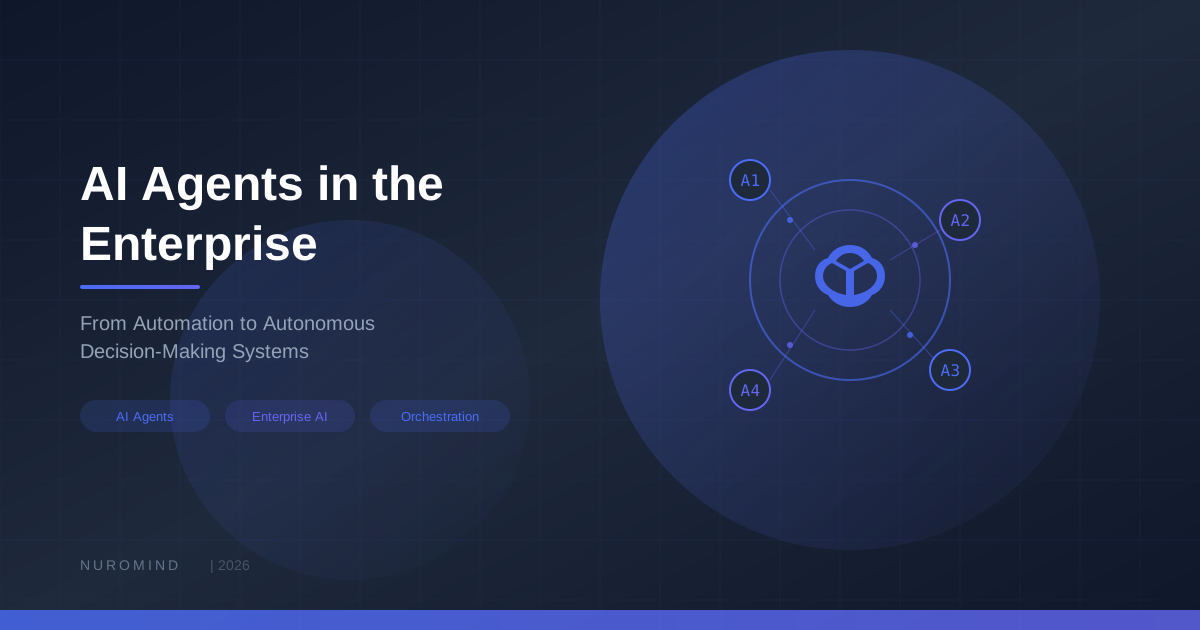
The Orchestrator — For complex workflows, you don't want one giant agent doing everything. You build specialized agents — one for data analysis, one for customer communication, one for compliance — and an orchestrator that delegates and synthesizes. Think of it like a well-organized team, not a single superhero.
The Guardrails — This is the part people skip and then regret. Every enterprise agent needs:
- Input validation (prompt injection is real and it's not going away)
- Output filtering (your agent shouldn't send a customer something that violates company policy)
- Approval workflows for high-stakes actions (the agent drafts the purchase order, a human clicks "approve")
- Audit logging of everything — every decision, every tool call, every output
Where We're Seeing Real Impact
Let me share some patterns we've seen actually work — not hypotheticals, but real deployments.
Supply Chain Teams Sleeping Better at Night
One manufacturing client had a procurement team that spent most of their day monitoring inventory levels and scrambling when something ran low. Now an agent watches those levels continuously, cross-references supplier lead times and demand forecasts, and when it spots a potential stockout, it identifies alternative suppliers, compares pricing, and drafts a purchase order. A human still approves the order, but the response time went from 2-3 days to under an hour. The procurement team now spends their time on strategic supplier relationships instead of firefighting.
Customer Support That Actually Investigates
Most "AI customer support" is glorified FAQ search. What we've built is different: an agent that actually investigates the issue. It pulls up the customer's account, checks recent system logs for errors, searches the knowledge base for similar cases, and then either resolves the issue directly or hands a human agent a detailed brief with a recommended solution. The human agents actually like it — they get pre-researched cases instead of starting from scratch every time.
Compliance Monitoring Without the Army of Analysts
In regulated industries, compliance teams are perpetually understaffed. An agent can continuously scan communications, transactions, and operational data against regulatory requirements, flag potential issues with specific regulation references, and recommend corrective actions. One financial services client reduced their audit prep time by 60%. More importantly, they're catching issues in real-time instead of during quarterly reviews.
Dev Teams Shipping Faster
An agent that reviews pull requests, checks for security vulnerabilities, verifies test coverage, and flags violations of coding standards. When a CI pipeline breaks, it diagnoses the failure and suggests a fix. We've seen teams cut code review turnaround from days to hours without sacrificing quality.
A Practical Playbook for Getting Started
I'm going to be blunt about what actually works, because I've seen too many agent projects fail by trying to do too much too fast.
Pick one workflow. Not "transform the organization." One specific, well-understood workflow with clear inputs, outputs, and a way to measure success. The best candidates are high-volume, involve routine judgment calls, and have clear escalation paths for edge cases.
Design your tool set carefully. Map every system the agent needs to touch. Build clean interfaces with good error handling. And I'll say it again: start with read-only access. The first time your agent accidentally updates 500 customer records, you'll wish you'd listened.
Build guardrails from the start, not later. Define what the agent cannot do before you define what it can. Implement human approval for anything consequential. Log everything. Set spending limits. This isn't paranoia — it's good engineering.
Test with messy, real-world scenarios. Lab demos always work. Production data is where agents fail in surprising ways — they take a technically valid but clearly wrong path, or they get confidently stuck in a loop. Test the reasoning process, not just the final output.
Deploy in advisory mode first. Let the agent recommend actions while humans execute them. Watch it for a few weeks. Build trust with the team that will work alongside it. Then gradually expand its autonomy. This approach takes longer, but the projects that skip it usually end up rolling back.
The Honest Challenges
I wouldn't be doing my job if I only talked about the upside. Here's what keeps me up at night with agent deployments:
Hallucination is still a thing. Agents are better than raw LLMs because they can ground their responses in real data from your systems, but they can still make confident mistakes. Always validate critical outputs against source data.
Prompt injection is a real security concern. If your agent processes user-generated content, someone will eventually try to trick it into doing something it shouldn't. Treat agent security like you'd treat web application security — assume adversarial input and design accordingly.
Costs can surprise you. Each agent action involves LLM calls, and those add up. Use cheaper models for routine sub-tasks, cache aggressively, and set hard budget limits. We've seen monthly costs range from surprisingly cheap to shockingly expensive depending on how thoughtfully the system is designed.
The "trust gap" is real. Even when an agent performs well, people in your organization may not trust it. That's actually healthy and rational. Build trust gradually through transparency — show people why the agent made each decision, not just what it decided.
Looking Ahead
We're genuinely early in this space, and that's exciting. The next wave will bring multi-agent teams that collaborate like human teams do, agents that learn from feedback without needing full retraining, and proactive agents that spot problems before anyone asks them to look.
But here's what I want you to take away: you don't need to wait for the next wave. The technology available today is already capable of transforming specific, well-chosen workflows in your organization. The companies getting the most value aren't the ones waiting for perfection — they're the ones starting small, learning fast, and scaling what works.
Final Thoughts
AI agents are the bridge between "AI as a tool" and "AI as a teammate." They're not going to replace your team, but they will change what your team spends their time on — and that's ultimately what makes an organization more capable.
If this is a direction you're exploring, we'd genuinely love to talk. At Nuromind, we've been in the trenches building these systems, and we're always happy to share what we've learned — whether that turns into a project together or not. That's just how we operate.